Every ECF notice handled. Zero missed deadlines.
TheBankruptcyHQ reads each court notice the moment it arrives. It parses the 341 date, trustee, and deadlines, saves the PDF to your Dropbox, updates your case dashboard, and notifies your client automatically.
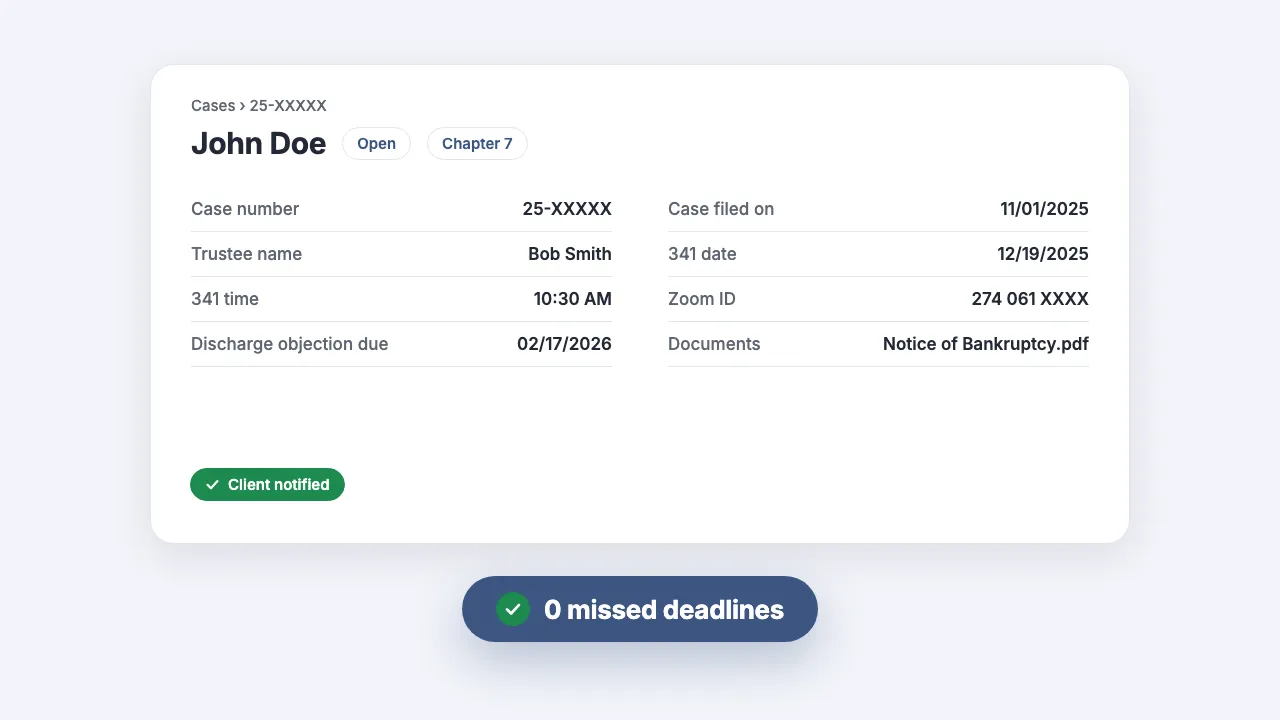
What the animation shows
- A court notice email arrives from notices@uscourts.gov with a PDF attached.
- The notice is scanned and its key fields are parsed automatically: 341 meeting date and time, case number, trustee name, Zoom ID, and the deadline to object to discharge.
- The attached PDF is saved to your firm's Dropbox folder.
- The case dashboard fills in with every parsed field, with no retyping.
- Your client is notified by email automatically, and your missed-deadline count stays at zero.
- The attorney asks their own AI assistant (Claude, ChatGPT, or any tool they already use) a question about the case, and it answers from the parsed court notice.
Used by bankruptcy firms
How it works
Three steps between a court notice arriving and your client knowing about it. You do none of them.
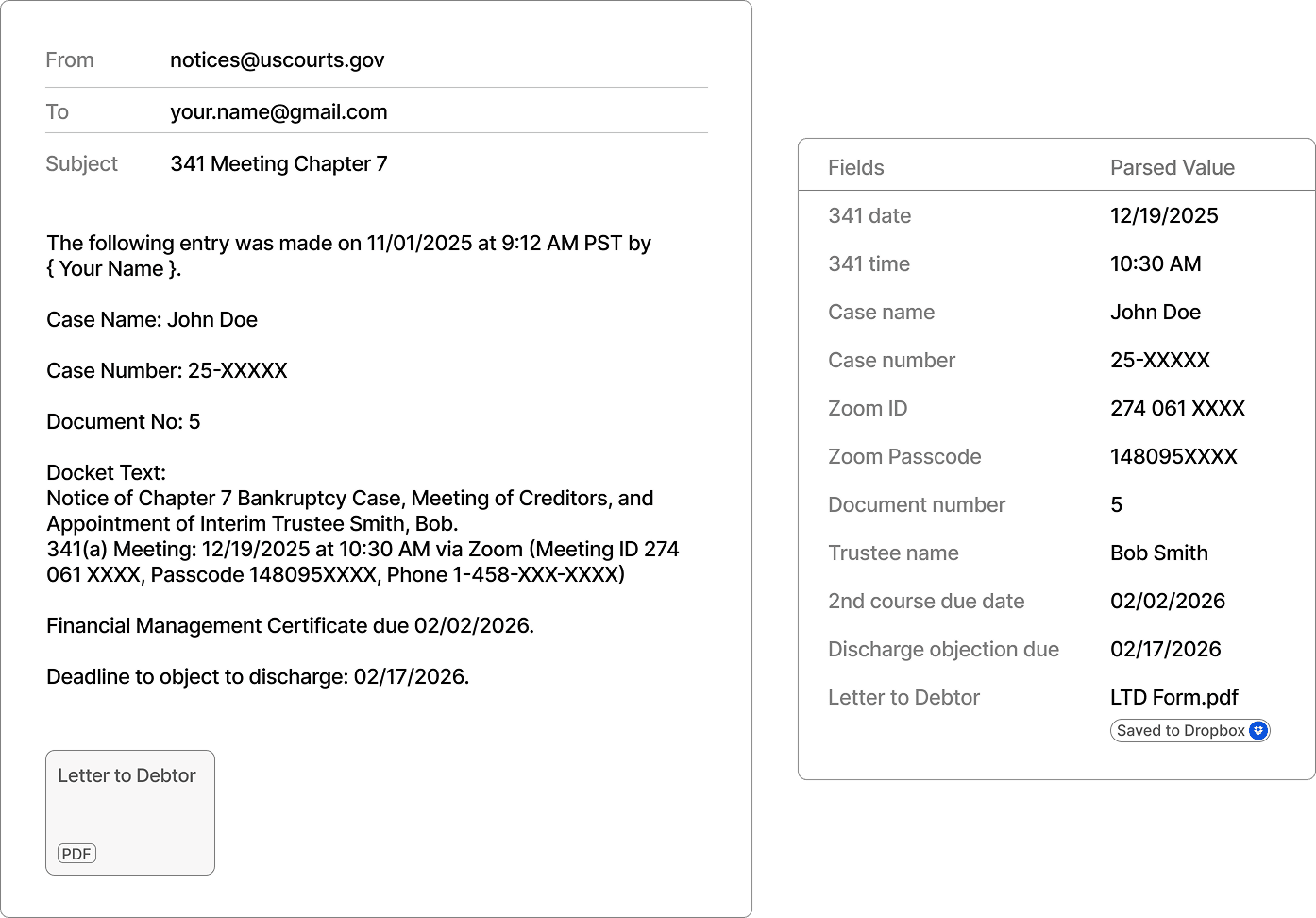
Notices are parsed as they arrive
Add our address to your ECF distribution list. Every notice email is read on arrival. The 341 date and time, case number, trustee, Zoom details, and deadlines are extracted, and attached PDFs are saved straight to your Dropbox.
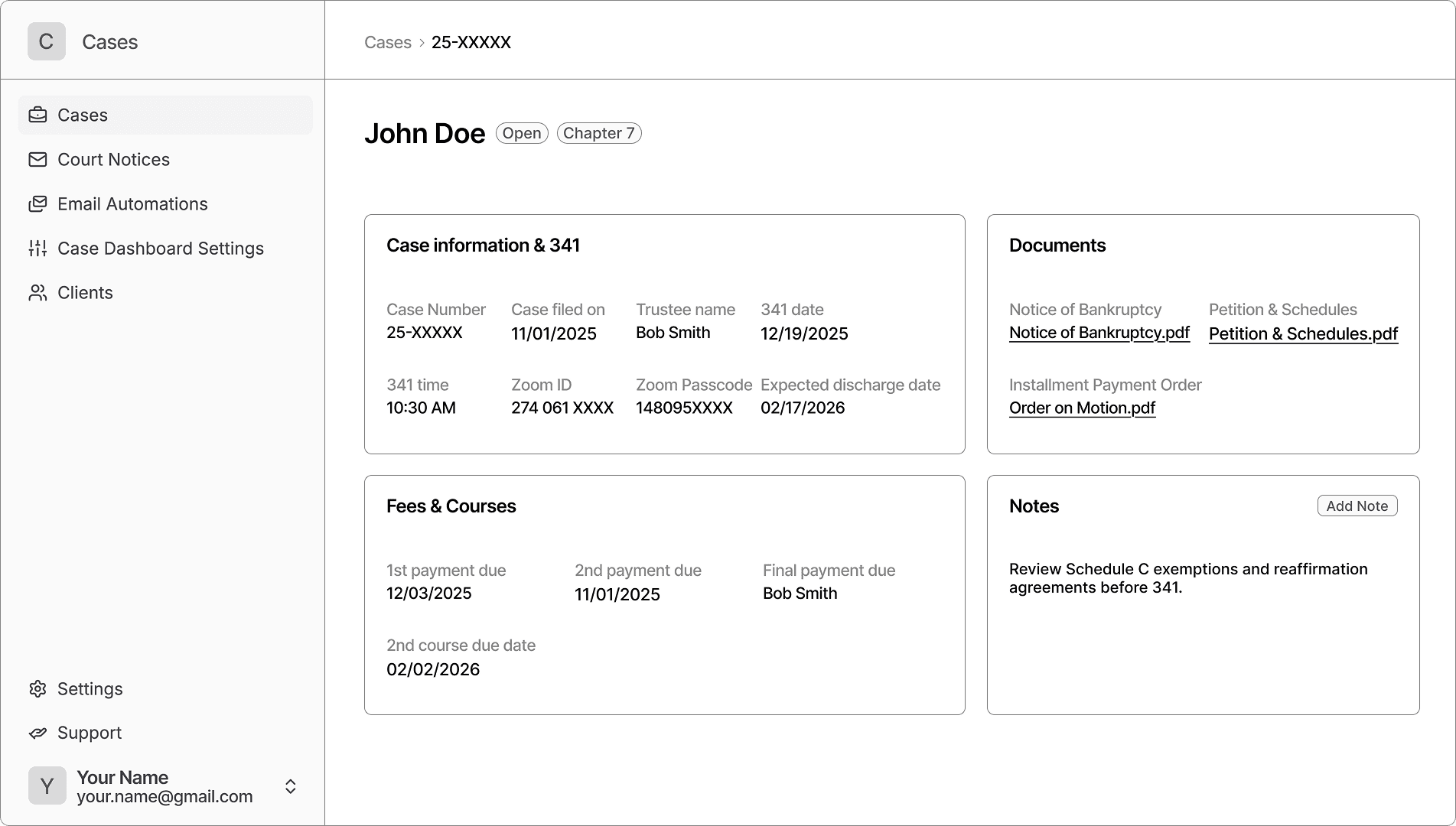
Your case dashboard fills itself in
Each case gets a dashboard with every parsed field, document, and deadline in one place, kept current with every new notice without anyone retyping a docket entry.
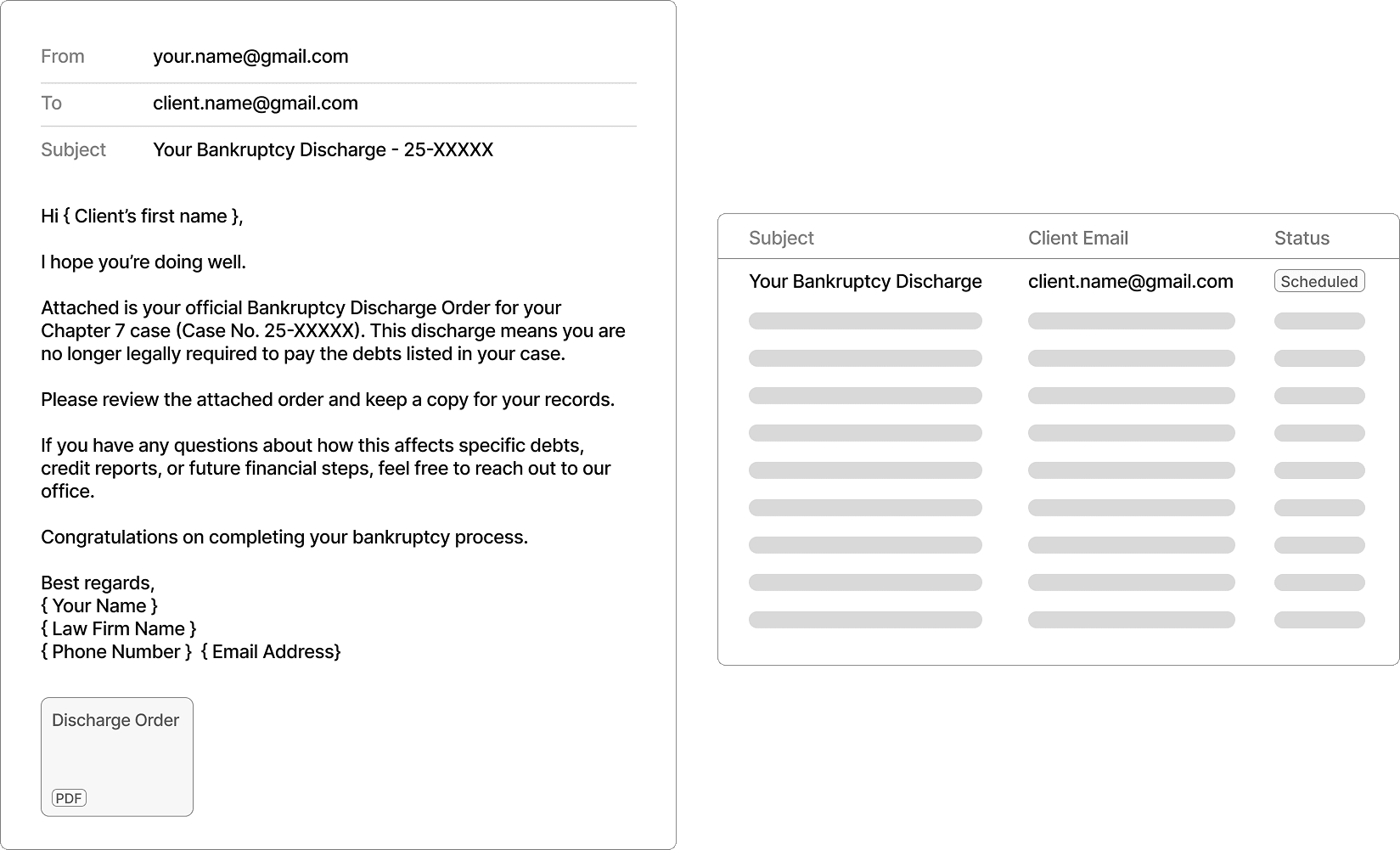
Clients are notified automatically
Email templates merge in parsed case data and go out to your clients on schedule: discharge notices, 341 reminders, and document deliveries, all without you drafting a word.
Built for the things that keep you up at night
Bankruptcy practice runs on deadlines, expectations, and paperwork. We remove the risk from every one of them.
Missed deadlines
Never miss a court deadline again
Every notice is captured and every deadline extracted the moment the court sends it. Nothing depends on someone reading an inbox in time.
Slow client communication
Clients hear from you first
Automated updates go out as soon as a notice lands, so your clients learn about their 341 meeting or discharge from you, not from a letter a week later.
Manual busywork
Stop retyping docket entries
Parsing, filing PDFs, updating case records, and drafting routine client emails: the clerical work that eats your week runs on its own.
Buried case answers
Ask your cases anything
Connect TheBankruptcyHQ with ChatGPT, Claude, or any AI assistant you already use, and research cases, deadlines, and court documents by just asking. Answers come from your live case data, powered by our MCP server and limited to your firm.
Frequently asked questions
How much does it cost?
Free for your first month. After that, pricing depends on your case volume, and we'll walk through it on a 30-minute call.
Which courts and districts do you support?
We parse standard ECF notice emails from U.S. Bankruptcy Courts. If your district formats notices differently, we adapt the parser during your setup. That's part of onboarding, not an extra.
Do you support both Chapter 7 and Chapter 13?
Yes. Chapter 7 and Chapter 13 notices are both parsed, including 341 meeting details, trustee assignments, plan deadlines, and discharge dates.
How does the ECF setup work?
You add our intake address to your ECF distribution list in PACER, the same way you'd add a paralegal. Court notices then reach us in parallel with your own copy. We never touch your inbox.
What happens if a court changes its notice format?
We monitor parsing across all our firms, so format changes surface immediately. We update the parser on our side. You don't have to do anything, and no notices are lost in the meantime.
Can I use TheBankruptcyHQ with ChatGPT or Claude?
Yes. TheBankruptcyHQ includes an MCP server (Model Context Protocol, an open standard for connecting AI assistants to your tools). Once connected, your AI assistant can search your cases, read parsed court notices and uploaded documents, and answer questions using your firm's live data. Access is authenticated and limited to your organization.
How long does setup take?
About 30 minutes: sign in with Google, share a Dropbox folder, add our address to your ECF distribution list, and review your email templates. Most firms see their first parsed notice the same day.
Your next court notice can handle itself
Set up in about 30 minutes. Free for your first month, no card required.